
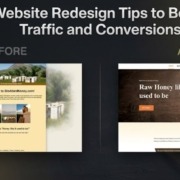
Website Redesign Tips for Traffic & Conversions
Ever land on a website that looks like it hasn’t changed in a decade? It’s tough to trust a business when their site is a mess—most people just click away and never come back. Your own website is often your first (and sometimes only) chance to leave a positive impression. If visitors find it easy to browse, visually appealing, and quick to load, they’re far more likely to connect with your brand. Redesigning isn’t just about style; it’s about making sure your message gets across and visitors find what they need without frustration. With a thoughtful approach drawing from real business feedback and practical updates, you can turn a once-ignored website into the heart of your customer experience.
If your website isn’t pulling in leads, or it just doesn’t feel right for your brand anymore, a redesign could be what you need. I’ve worked with business owners who felt stuck with awkward site layouts or complicated pages that only frustrated potential customers. In this article, I’ll walk you through practical tips from projects I’ve managed—real solutions that boosted traffic and made navigation simpler. Maybe you’re thinking of tackling things solo, or maybe you’d rather bring in professional website services to help. Every idea here is grounded in actual business challenges and focuses on meaningful, people-first improvements that make a visible difference.
Why Your Website Needs a Redesign
If you’ve ever looked at your own site and felt it wasn’t telling your story anymore, you’re not alone. Shops and services I’ve worked with often realize the website they started with just doesn’t fit their business as it grows. Redesigning is about reconnecting with your customers and showing them what matters most—clear messages, easy navigation, and features that genuinely help. Overhauling your site might mean adding a bold new banner or simply making menus less confusing, but the goal is always to help visitors have a better experience. From what I’ve seen firsthand, small adjustments in design can make all the difference, bringing your look up to date and setting you up for more growth.
Websites aren’t just digital brochures—they need to keep up with how real people actually use the internet. From my years working on client projects, I’ve seen firsthand how hidden menus, clunky layouts, or awkward mobile experiences turn people away. One client’s site buried the main navigation so deep visitors got lost, and their mobile view left links nearly impossible to use on a phone. The truth is, if loading takes too long or finding info feels like a chore, visitors will leave—often before you even realize there’s a problem. Paying close attention to your site’s layout, speed, and how your audience really browses makes all the difference in keeping your reputation strong and ranking higher in search results.
Instead of sticking with generic advice, here’s what I’ve actually learned from helping real businesses with redesigns: First, cut out unnecessary clutter in your menus—keep navigation straightforward so anyone can get where they’re going without confusion. Resize your images before posting; I learned the hard way that slow load times turn people away immediately. Always check everything on your phone, not just your computer, since most visitors will use mobile first. Little decisions like these, shaped by actual hiccups and feedback from clients, make a huge difference. When your site is fast, organized, and easy on any device, you give visitors a reason to come back—and that’s where real growth starts.
Key Website Redesign Tips for Better Traffic
When it comes to getting steady website traffic, I’ll be honest—success rarely happens by accident. You need to update your site often, share real updates, and make sure Google knows you’re active. Over the years, I’ve helped businesses see real improvements just by tightening up their content and making menus friendlier. For one client, simple updates—like adding recent blog posts and making the company’s mission easy to spot—led to more visitors sticking around and engaging. If you track what’s working, focus on clarity, and think from the user’s point of view, you’ll notice those little wins turning into loyal traffic and returning customers.
Optimize for Mobile First
If you’re anything like me, your phone is your go-to for almost everything—shopping, booking, researching, and chatting. Websites that don’t fit a phone screen or make you pinch and scroll endlessly? I leave those in seconds. I remember updating a client’s site and watching bounce rates drop just by making buttons finger-friendly and menus readable on small screens. Mobile visitors want speed and simplicity, not zooming and hunting. When you put real effort into making your website easy to use on phones, you invite people to stay, to click, and to come back again. That’s not just smart design—it’s meeting your audience where they already are.
If you want your visitors to stick around, always review your website from a phone—not just a laptop. I learned this lesson when a client’s beautifully designed homepage turned chaotic on mobile, with buttons overlapping and text too tiny to read. Walk through your site step-by-step, tapping every menu, button, and link just as a customer would. Are forms easy to fill out? Can you scroll without fighting with layouts or pop-ups? Focusing on real-world use, not just technical checklists, means you’re making life easier for actual people—not just chasing another Google score. This kind of practical, honest testing—and fixing what annoys you—pays off in more loyal visitors and better search rankings, every time.
Improve Page Load Speeds
If you’ve ever watched a website hang or stutter while loading, you know it’s enough to make you click away fast. Years ago, I lost a freelance gig because my online portfolio took more than a few seconds to appear—embarrassing, but a lesson I never forgot. Since then, every time I help someone with a website makeover, we always start with the simple stuff: compress those photos before posting, check that your plugins aren’t piling up, and see how your site feels on a slow Wi-Fi connection. Quick fixes like cropping oversized images or swapping clunky effects for clean, basic layouts can really make a difference. Trust me, nobody sticks around when your homepage feels like it’s running through molasses. A snappy, lightweight website keeps people exploring—and that’s the first win you want.
Let’s be honest—waiting for a website to load is frustrating. I remember one client who was losing sales simply because their homepage took ages to show up. We sat down together, checked their image sizes, and found almost every photo was way bigger than necessary. After resizing those, deleting old plugins, and cutting back on flashy effects, their site loaded almost instantly. It was incredible to watch more visitors stick around and finally contact them. If your website is slow, start with these basics. You’ll notice an improvement right away, and your customers will appreciate the faster experience.
You don’t have to be a tech expert to make your website run faster. I always start by double-checking image sizes—large photos can really slow down a site and most visitors never notice a slight dip in quality. Next, I clear out old plugins and add-ons that aren’t being used. If your site still feels sluggish after that, consider comparing a few different hosting plans—sometimes, paying a little more makes a big difference in performance. The end goal is making sure your visitors aren’t left waiting, and every second counts when it comes to keeping them interested. Even these simple, hands-on fixes give your site an instant boost and help you make a better first impression.
Refresh Your SEO Strategy
When it’s time to rebuild your website, don’t just focus on the look—take the opportunity to improve your SEO for real impact. I’ve seen businesses overlook key pages during a redesign, only to see their search traffic drop off overnight. One local shop I helped had a blog post that quietly brought in hundreds of visits a month, but it vanished in a poorly planned update. Always start with your analytics: check which pages people actually visit, and list those out. Protect these valuable assets by setting up good redirects and keeping content that already works. A little legwork before you overhaul everything can save you from losing hard-earned momentum. Prioritize the bits that matter, and your site will keep bringing in those visits, even after a fresh coat of paint.
My own projects have taught me that a redesign is the prime time to rethink your keywords based on actual customer searches, not guesses. I still remember a client who asked customers directly which phrases brought them to the site—what came back was a true goldmine. Checking your website analytics and chatting with people using your services always gives you better insights than endlessly following the latest SEO fads. Update your titles and meta descriptions with the language people actually use, and focus your content on answers and solutions they want. This honest, audience-first approach has always brought me more relevant website traffic, and it means visitors are much more likely to stick around and engage with what you offer.
I learned pretty quickly that redesigning a site is a solid chance to look through the exact words your customers use. I like to check reports, ask team members, and actually talk to a couple of clients—what do they type into Google before landing on your page? Once I have a list of these genuine phrases, I naturally fit them into headings or navigation, making sure they don’t feel forced or out of place. The easiest way to avoid SEO headaches is to write for people first, not algorithms. Real conversations and plain language always connect better than keywords stuffed in just for ranking. That’s what’s worked for my clients and for my own projects—if you write the way your visitors talk, everything just feels smoother.
Proven Strategies to Skyrocket Conversions
I’ve seen firsthand that getting people onto your website is only part of the job—the real results come from helping them take action once they’re there. On most redesigns I’ve managed, the biggest boosts came from removing clutter, using more direct language, and making every button and link genuinely obvious. Think about your own frustration with sites that bury contact forms or make you guess at the next step; it’s no surprise those pages don’t convert well. Prioritize a few core steps, guide visitors clearly, and cut out anything distracting. Simple, honest adjustments to layout and messaging are what turn curious visitors into real customers.
Simplify Website Navigation
Over the last few years, I’ve seen that nothing confuses visitors faster than a messy website menu. When I worked with small shops and local businesses, the difference was always clear: fewer menu choices meant people stuck around longer and reached out more often. For example, one bakery I helped had every page buried under drop-down menus—after trimming it to just a handful of clear links at the top, customers started calling about catering and placing big orders online. It’s not just about looks—easy navigation truly influences how people move through your site. Keep things simple, label your main pages clearly, and watch as users find what they need instead of getting frustrated and leaving.
When I think back on the dozens of websites I’ve helped overhaul, the biggest improvements almost always came from simplifying navigation. I remember one client—a florist—whose site was stuffed with so many submenus that most visitors gave up trying to find the order page. We pared the navigation down to just a few essentials, made labels more direct (“Order Flowers,” “Contact,” “About Us”), and within weeks, bounce rates dropped and online sales rose. Streamlined menus just work: they make it easy for people to get where they need, whether they’re first-time visitors or returning customers. My best advice? Ask actual users what confuses them, then trim away the clutter so that every link serves a purpose. Clean and clear always beats complicated.
When I meet with a new client to overhaul their site, we always start by reviewing the navigation together on a real device—no fancy software, just a phone or laptop. We talk about which links get used and which ones confuse visitors. Most business owners are surprised to see just how much stuff clutters up their menus. By the end of these sessions, we’ve usually boiled navigation down to the pages people actually need, like “Services,” “About,” or “Contact.” For clients with larger sites, a clear search bar near the top saves a ton of time for anyone in a hurry. Simple, direct menus lead to happier users and more people sticking around.
I’ve learned that the simpler your website’s navigation, the happier your visitors will be. When folks come to your site, they just want to find what they need without getting sidetracked or puzzled by endless drop-downs or scattered buttons. In my own projects, trimming extra menu items or using straightforward labels almost always made a difference—suddenly, more people were exploring and asking about services or placing orders. If you’re not sure what’s causing confusion, have a friend or a regular customer try out your site and talk through what throws them off. Small changes, based on real feedback, often do more than any fancy design tweak. The goal is to help visitors glide from page to page, so they stick around and take action.
Upgrade Your Calls to Action (CTAs)
When I work with calls-to-action, I always think about what actually makes me want to click on something—a clear, straightforward button beats a vague “Submit” every time. I remember designing a homepage for a local gym where swapping “Send” for “Book My Free Trial” instantly got more responses. The color of your button and the words you use matter: a bright, bold color stands out and active language brings energy. Place CTAs after a helpful blurb or at the end of a key section, where a visitor has all the info they need. In nearly every project, the biggest lift in clicks happened when the next step was easy to spot and felt like a friendly invitation, not pressure.
When you think about calls-to-action, focus on making them crystal clear and impossible to miss—they’re the signposts that nudge your visitors in the right direction. For me, it’s always about using buttons or links that feel like a natural next step, not a command. Swapping out bland words for direct, appealing phrases (“Book a Demo,” “See Plans & Pricing”) made a measurable difference in how many people followed through on clients’ sites I’ve helped. Don’t bury your main buttons; position them exactly where someone’s likely to be ready to act, hopefully after you’ve answered a key question or offered a simple value point. The friendlier, more obvious, and better-placed your CTA, the more likely your visitors are to do what you hope they will.
Enhance Trust with Social Proof
When I started working with small businesses, I realized nothing builds trust like real-life proof. Instead of stock quotes or generic blurbs, I always recommend sharing authentic testimonials and candid photos. One restaurant client let us show off their team cooking together, and the feedback was instantly warmer. If you’ve received awards or are proud of your partnerships, make those visible—customers notice and care. I’ve seen engagement go up just from putting a friendly face or recognizable local logo on a homepage. Showcasing genuine feedback and your own people turns your website into an inviting place where new visitors feel they’re in good hands.
Here’s what worked for one of my clients—a family-run bakery: we highlighted their best customer stories and used real photos of their products and team. In just a few weeks, more new customers were reaching out and mentioning these testimonials. When people see honest stories and familiar faces, they’re simply more likely to trust you. Display client logos and industry awards where folks can see them right away. Sharing practical examples—like how your service solved a specific problem—can help ease any lingering doubts a visitor might have. Real feedback and before-and-after photos have a way of saying, “You can count on us,” far better than generic claims ever could.
Knowing When to Hire Experts
When I first tried redesigning my business website, I underestimated how complex it could get. The technical headaches—from broken layouts to customers getting lost—were more than I bargained for. If your business is growing, it quickly becomes obvious when a DIY approach causes more confusion than it solves. After struggling through one too many late-night fixes, I realized the value of having someone with real expertise involved. Turning to a trusted pro or a website redesign agency was a turning point: problems were solved faster, and I could keep my attention on the parts of my business that mattered to me. If you’re short on time, experience, or just patience for tech stress, handing the reins to experienced professionals can save you time, money, and a lot of frustration.
There’s a real sense of relief that comes from having experts step in—especially when your site’s performance impacts sales or your reputation. Let’s be honest: not everyone has the time or patience to sort out code bugs or comb through endless design tweaks. I remember working with a clothing retailer who tried to handle their rebuild solo and ended up with broken checkout carts and disappearing product images. When they brought in skilled pros, everything finally ran as it should, and they could get back to building their business instead of battling website hurdles. It’s not just about making things look nice; handing off the complex parts to a knowledgeable team lets you focus on your real work, knowing your site will deliver for your customers.
The Value of a Website Redesign Agency
When you work with a website redesign agency, you’re not just ordering a new design—you’re collaborating with people who spot things you’d never notice on your own. I remember how much easier my last project became when the agency I hired suggested layout tweaks and navigation shortcuts I hadn’t thought of. They paid attention to my actual business needs and gave feedback that made the site clearer and easier for my customers. These teams don’t follow a one-size-fits-all formula; instead, they take the time to understand what matters to you and your brand. The end result isn’t just a more stylish site, but one that feels tailor-made for both you and your visitors, turning your website into a hub where customers feel confident taking the next step.
If you’ve ever tried to take on a website overhaul by yourself, you know just how complicated it can get—broken links, missing images, technical issues, and endless second-guessing about each layout choice. That’s why it made such a difference for me when I teamed up with a website redesign agency. Working with real people who do this every day took a huge load off my shoulders. The agency I hired didn’t just handle the tough stuff; they asked smart questions, offered practical advice, and worked alongside me to get the look and function just right for my business. From big-picture ideas down to the little design tweaks, they helped me create a site that worked reliably and actually felt like mine—long after launch, too.
Leveraging Professional Website Services
I once decided to update my business website and turned to professional website services for help. The difference was immediate. Instead of patching things together myself, the team walked me through smarter design choices, explained why certain features mattered, and fixed technical hiccups quickly. Honestly, having constant support meant I could focus on my shop and customers—not troubleshooting plugins or reading endless how-to guides. What stood out most was their real-world advice, tailoring updates based on my actual day-to-day needs, not some cookie-cutter plan. It felt like having a partner invested in my success, which made all the difference as my business kept growing.
A few years back, I watched a friend’s boutique struggle with a clunky website she just couldn’t keep up with. She finally reached out to a local company that specialized in professional website services—the relief was obvious. Suddenly, she didn’t have to fret over technical errors or answer midnight emails about broken checkout forms. The team actually listened to her day-to-day headaches, fixed the nagging glitches, and built tools that made online sales and bookings much easier. As a small business owner, having real people to call, who actually cared, made all the difference. With a solid team in her corner, she finally got to focus more on her customers and less on her website stress.
A few years ago, I hit a wall trying to manage my website alone—errors would pop up or something would break right before a big sale. That’s when I turned to professional website services and immediately felt the difference. Suddenly, updates and fixes happened faster, and I got real answers to my questions without hours of Googling. The personal support meant I could finally focus on my customers instead of dreading the next tech hiccup. Working with these pros didn’t just save time; it made my site feel like an actual part of my business, not just another hassle on my to-do list.
Pre-Launch Checklist
Before you take your new site live, set aside time to use it like a real visitor. Browse every section, test all the forms, and don’t forget to click links you haven’t used in a while. It’s amazing how a fresh look finds missed typos or outdated info you’ve overlooked for ages. A friend testing on their phone might catch a weird spacing issue or a menu that hides offscreen—things you can easily fix before customers ever notice. These simple checks help ensure your relaunch starts smoothly and leaves a great first impression.
- Test all links: Click every internal and external link to ensure none lead to 404 error pages.
- Check mobile responsiveness: View the site on multiple devices, including various smartphones and tablets.
- Verify redirects: Make sure all your old URLs successfully point to their new counterparts.
- Test your forms: Fill out every contact form and checkout process to ensure the data reaches the right place.
- Review analytics: Ensure your tracking codes (like Google Analytics) are installed and firing correctly on the new platform.
Conclusion
Redesigning your website is a chance to fix what isn’t working and make things easier for your visitors. In my years working with clients—sometimes just small tweaks like reorganizing content or making images load faster led to more calls and email inquiries within days. Real feedback from customers has always been my guide: if several people stumble on the same feature, it’s a sign something needs to change. Focus on practical updates that solve genuine frustrations, whether that means cleaner menus, faster pages, or clearer calls to action. The best redesigns are shaped by listening, testing, and being willing to adapt—because when your site works better for real people, the boost in traffic and conversions tends to follow naturally.
Try seeing your website with completely fresh eyes. Do you spot outdated images, confusing buttons, or pages that lag on your phone? Chances are, your customers do too. I’ve worked alongside small business owners who were shocked to learn their contact forms were buried, or menus simply didn’t work on mobile. If these issues sound familiar, don’t ignore them—consider reaching out to a website redesign agency or bringing in professional website services. Pros like these bring a perspective you can’t always get on your own, and I’ve watched firsthand as simple changes, like clearer navigation or faster load times, led to more calls and happier customers. Sometimes, a little outside help really does go a long way.