
Best IPTV Player for Android Phone (2026 Guide)
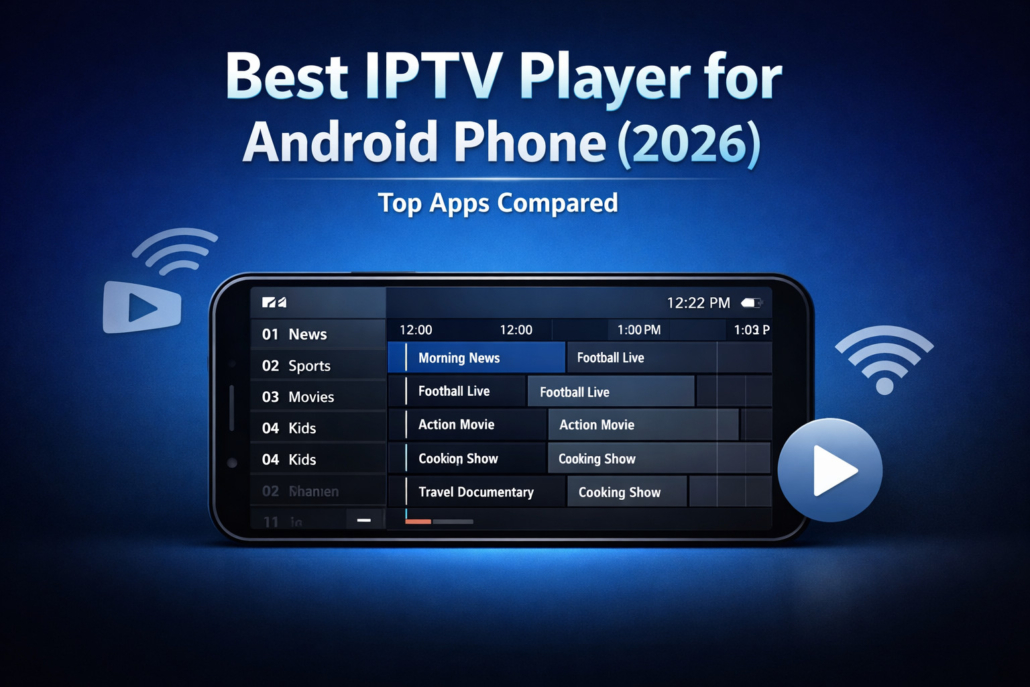
Internet Protocol Television (IPTV) has changed how people consume live TV, movies, and on-demand content. Instead of relying on traditional cable or satellite, users now stream channels over the internet using IPTV apps and players. If you’re using an Android phone, choosing the best IPTV player for Android phone is critical for smooth playback, playlist management, EPG support, and overall streaming performance.

What Is an IPTV Player?
An IPTV player is an app that plays IPTV playlists in formats like M3U, Xtream Codes, or EPG URLs. It acts like a media player designed specifically for live TV streaming.
A good IPTV player for Android should offer:
- Smooth playback with low buffering
- EPG (TV Guide) support
- Playlist organization
- Catch-up / recording support
- Chromecast & external player integration
- Clean, user-friendly interface
Quick Comparison Table — Best IPTV Player for Android Phone
| IPTV Player | Price | EPG Support | Xtream Codes | Chromecast | Best For | Rating |
|---|---|---|---|---|---|---|
| TiviMate | Free / Premium | Yes | Yes | Yes | Advanced users | ⭐⭐⭐⭐⭐ |
| IPTV Smarters Pro | Free | Yes | Yes | Yes | Beginners | ⭐⭐⭐⭐☆ |
| XCIPTV Player | Free | Yes | Yes | Yes | Modern UI lovers | ⭐⭐⭐⭐☆ |
| Perfect Player | Free | Yes | Yes | No | Lightweight setup | ⭐⭐⭐⭐ |
| GSE Smart IPTV | Paid | Yes | Yes | Yes | Multi-format streams | ⭐⭐⭐⭐ |
1) TiviMate
Price: Free / ~$9.99 per year (Premium)
Why it’s great: TiviMate is widely considered the best IPTV player for Android phone due to its premium interface and powerful features.
Pros
- Beautiful TV-style interface
- Advanced EPG layout
- Multi-playlist support
- Catch-up and recording (premium)
- Works perfectly with Xtream Codes
Cons
- Premium required for full features
- Slight learning curve for beginners
2) IPTV Smarters Pro
Price: Free
A very popular choice among new IPTV users. Simple, reliable, and supports most playlist formats.
Pros
- Very easy to set up
- Clean layout
- Supports M3U and Xtream Codes
- Parental controls
Cons
- Interface feels basic
- Limited customization
3) XCIPTV Player
Price: Free
XCIPTV is known for speed and a modern Netflix-like UI.
Pros
- Attractive design
- Fast channel switching
- Built-in media player
- VOD support
Cons
- Ads in free version
- Fewer advanced settings
4) Perfect Player
Price: Free
Great for older Android phones with limited RAM.
Pros
- Very light app
- Smooth playback
- Excellent EPG grid
Cons
- Outdated interface
- No Chromecast
5) GSE Smart IPTV
Price: Paid (~$3–$5)
Supports many formats beyond M3U.
Pros
- Supports many stream types
- Chromecast support
- Advanced playlist tools
Cons
- UI not very modern
- Paid app
Which Is the Best IPTV
If you want the best overall experience → TiviMate
If you are a beginner → IPTV Smarters Pro
If you like a modern design → XCIPTV
If you need lightweight performance → Perfect Player
What Is the Best IPTV Streaming App for Firestick?
Most of the above apps also work on Firestick. The top choices are:
- TiviMate
- IPTV Smarters Pro
- XCIPTV Player
They install easily via Downloader and work flawlessly with remotes.
Which Box Is Best
For the best IPTV experience on TV:
- NVIDIA Shield (best performance)
- Amazon Fire TV Stick 4K (budget)
- Android TV boxes with 4GB RAM+
What Are the Best
Here’s a quick list:
- TiviMate
- IPTV Smarters Pro
- XCIPTV
- Perfect Player
- GSE Smart IPTV
These apps are trusted, stable, and widely used in 2026.
What Is the Best
An IPTV player is only as good as the service behind it. A good IPTV service should offer:
- 10,000+ channels
- Stable servers (no buffering)
- EPG support
- 24/7 customer support
- Catch-up TV
- VOD library
Always choose legitimate, reputable providers and avoid “too good to be true” offers.
Pros & Cons
| Player | Pros | Cons |
|---|---|---|
| TiviMate | Best UI, powerful features | Premium cost |
| IPTV Smarters | Easy, beginner friendly | Basic design |
| XCIPTV | Fast, modern | Ads |
| Perfect Player | Lightweight | Old UI |
| GSE Smart IPTV | Many formats | Paid |
IPTV Best 2026 Reddit Discussions (What Users Prefer)
Across forums and communities, users consistently recommend:
- TiviMate for advanced setup
- Smarters for simplicity
- XCIPTV for visual appeal
The common advice: player matters less than the quality of your IPTV provider and internet speed.
What’s the Best IPTV Player for Firestick?
Same answer as Android:
TiviMate is the top choice, followed by IPTV Smarters and XCIPTV.
Who Has the Best IPTV Service?
Look for services that provide:
- Trial before purchase
- Fast support response
- Anti-freeze technology
- Multiple server locations
Avoid services advertised through spam or unrealistic lifetime deals.
When Choosing the Best IPTV Player for Android Phone
- Ensure app supports Xtream Codes API
- Check for EPG compatibility
- Use external player like VLC or MX Player if buffering
- Use 5GHz WiFi or Ethernet for best results
Final Verdict
In 2026, the clear winner is TiviMate. It delivers the most complete IPTV experience on Android phones, Firestick, and Android TV.
If you want something simple and free, go with IPTV Smarters Pro. If you want modern looks, choose XCIPTV.
Your IPTV experience depends on three things:
- The player (use TiviMate)
- The provider (choose wisely)
- Your internet connection (fast & stable)
Choose correctly, and you’ll have a cable-like experience right on your Android phone.
FAQ
The best IPTV depends on the provider’s stability. Pair it with TiviMate for best results.
One that offers stable servers, EPG, VOD, and responsive support.
TiviMate and IPTV Smarters Pro.
NVIDIA Shield, Firestick 4K, or Android TV boxes with good RAM.
The quality of the provider matters more than the player.
A reliable, legal IPTV provider combined with TiviMate.
Reddit users favor TiviMate and Smarters.
TiviMate, Smarters, XCIPTV, Perfect Player, GSE Smart IPTV.
Look for uptime, support, and trials rather than marketing.
TiviMate is the top choice.
Reputable providers with good reviews and trials.
Those with stable streams, EPG, and support.

Leave a Reply
Want to join the discussion?Feel free to contribute!