
Best IPTV App for Google TV (2026) – Top IPTV Players, Prices, Pros & Cons
Introduction:
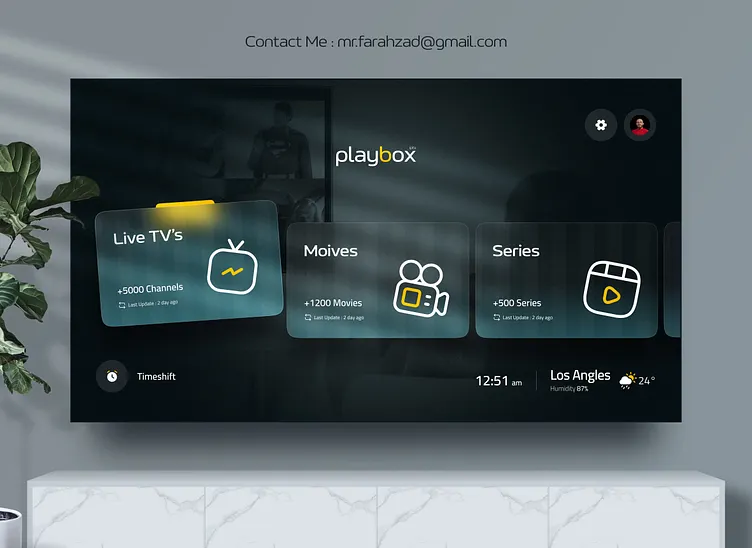
Google TV has become one of the most popular smart TV platforms thanks to its smooth interface, powerful performance, and access to thousands of streaming apps. As more users cut the cord, IPTV (Internet Protocol Television) has emerged as a flexible and affordable way to watch live TV, movies, and series.
If you are searching for the best IPTV app for Google TV, this guide is designed specifically for you. We will explore the top IPTV players compatible with Google TV, compare their features, prices, pros and cons, and answer the most common IPTV-related questions.
This article is optimized for users who want:
- The best IPTV app for Google TV
- The best IPTV player for Firestick
- A clear understanding of what IPTV is and whether it is legal

What Is IPTV?
IPTV (Internet Protocol Television) is a way of delivering television content over the internet instead of traditional cable or satellite systems.
With IPTV, TV channels, movies, and series are streamed using:
- Broadband internet
- IPTV apps (also called IPTV players)
- Playlists such as M3U or Xtream Codes
Key Benefits of IPTV
- No satellite dish required
- Works on Google TV, Android TV, Firestick, smartphones, and PCs
- Lower cost compared to cable TV
- Access to live TV, VOD, and catch-up content
🔥🖲️ Claim Your Free Trial
Why Choose
Google TV runs on Android TV OS, making it fully compatible with most IPTV players. Choosing the best IPTV app for Google TV ensures:
- Smooth playback with minimal buffering
- Support for EPG (Electronic Program Guide)
- Easy playlist management
- Remote-friendly navigation
- 4K and HD streaming support
Top 5 Best IPTV
Below are the most reliable and widely used IPTV players for Google TV.
1. IPTV Smarters Pro
IPTV Smarters Pro is one of the most popular IPTV players worldwide and works exceptionally well on Google TV.
Key Features
- Xtream Codes & M3U support
- Built-in EPG
- Multi-screen viewing
- Parental controls
- External player support
Price
- Free version available
- Premium version: ~$3–$5 (one-time or subscription)
Pros & Cons
| Pros | Cons |
|---|---|
| Easy to use interface | No built-in content |
| Google TV optimized | Ads in free version |
| Supports multiple playlists | Requires IPTV subscription |
| Fast channel switching |
2. TiviMate IPTV Player
TiviMate is considered by many users as the best IPTV app for Google TV due to its premium UI and advanced features.
Key Features
- Modern TV-style interface
- EPG with timeline view
- Playlist grouping
- Catch-up support
- Remote control friendly
Price
- Free version (limited)
- Premium: ~$5/year or ~$20 lifetime
Pros & Cons
| Pros | Cons |
|---|---|
| Excellent Google TV UI | No free VOD features |
| Very stable performance | Premium required for best features |
| Ideal for large playlists | No built-in IPTV |
| Fast and lightweight |
3. XCIPTV Player
XCIPTV Player is another strong contender for the best IPTV app for Google TV.
Key Features
- Built-in media players
- EPG support
- Catch-up TV
- VOD section
- Chromecast support
Price
- Free
- Optional premium upgrade
Pros & Cons
| Pros | Cons |
|---|---|
| Clean interface | Less customization |
| Works well on Google TV | No advanced sorting |
| No ads in some versions | Smaller updates |
| Stable streaming |
4. Perfect Player IPTV
Perfect Player IPTV is ideal for advanced users who want full control over their IPTV setup.
Key Features
- M3U & XSPF playlists
- EPG XML support
- Highly customizable
- Lightweight app
Price
- Free
- Premium: ~$5
Pros & Cons
| Pros | Cons |
|---|---|
| Very customizable | Interface not beginner-friendly |
| Stable and fast | Dated design |
| Great EPG handling | Setup takes time |
| Works on Google TV |
5. OTT Navigator IPTV
OTT Navigator IPTV is a feature-rich IPTV player suitable for power users.
Key Features
- Advanced EPG
- Auto frame-rate matching
- Catch-up and archives
- Multiple playlist support
Price
- Free
- Premium version available
Pros & Cons
| Pros | Cons |
|---|---|
| Powerful IPTV features | Complex for beginners |
| Great Google TV support | Learning curve |
| Smooth playback | |
| No built-in content |
Best IPTV App
| App Name | Price | Best For | Google TV Support |
|---|---|---|---|
| IPTV Smarters Pro | Free / Paid | Beginners | Excellent |
| TiviMate | Paid | Best overall | Excellent |
| XCIPTV | Free / Paid | Simple use | Very Good |
| Perfect Player | Free / Paid | Advanced users | Good |
| OTT Navigator | Free / Paid | Power users | Very Good |
What Is the Best IPTV Player?
The best IPTV player depends on your needs:
- Best overall: TiviMate
- Best for beginners: IPTV Smarters Pro
- Best free option: XCIPTV
- Best customization: Perfect Player
For most users, TiviMate is the best IPTV app for Google TV due to its smooth interface and stability.
What Is the Best IPTV?
IPTV itself is not a single service or app. IPTV consists of:
- An IPTV player (app)
- An IPTV service (content provider)
The “best IPTV” varies by:
- Channel availability
- Streaming quality
- Server stability
- Customer support
Always choose legal and licensed IPTV services to avoid issues.
Is IPTV Legal?
IPTV is legal, but how you use it matters.
IPTV Is Legal When:
- The IPTV service has broadcasting rights
- You stream free-to-air or licensed content
IPTV Is Illegal When:
- Streaming copyrighted content without permission
- Using unlicensed IPTV services
Always verify your IPTV provider’s legality in your country.
How to Download IPTV Smarters Pro on Firestick
Follow these steps carefully:
- Go to Firestick Settings
- Select My Fire TV
- Click Developer Options
- Enable Apps from Unknown Sources
- Install the Downloader app
- Enter the IPTV Smarters Pro download URL
- Install and open the app
- Add your IPTV login details
What Is the Best IPTV Player for Firestick?
The best IPTV player for Firestick includes:
- TiviMate
- IPTV Smarters Pro
- XCIPTV
TiviMate remains the top choice due to speed, layout, and Firestick compatibility.
What Is the Best IPTV Service?
The best IPTV service depends on:
- Your country
- Channel preferences
- Budget
- Streaming quality
Tip: Choose providers with:
- Trial options
- Clear support contact
- No unrealistic “10,000 channels” promises
What Is the Best IPTV Streaming App for Firestick?
The best IPTV streaming app for Firestick is:
- TiviMate (best overall)
- IPTV Smarters Pro (best beginner option)
Both apps are stable, fast, and widely supported.
Final Verdict
If you want the best IPTV app for Google TV in 2026, here’s the verdict:
- Best Overall: TiviMate
- Best for Beginners: IPTV Smarters Pro
- Best Free IPTV App: XCIPTV
- Best Customization: Perfect Player
Choose the app that matches your experience level and always use legal IPTV sources.
FAQ
IPTV (Internet Protocol Television) delivers TV content through the internet instead of traditional satellite or cable methods. It allows you to stream TV channels, movies, and on-demand content via IPTV apps like IPTV Smarters Pro and TiviMate on Google TV and Firestick.
IPTV itself is legal when used to stream licensed content or free-to-air channels. However, using IPTV services that offer pirated or unlicensed content is illegal. Always make sure to verify the legality of your IPTV provider before using it.
To download IPTV Smarters Pro on Firestick:
Go to Firestick Settings > My Fire TV > Developer Options and enable Apps from Unknown Sources.
Install the Downloader app.
Open Downloader and input the IPTV Smarters Pro APK URL to download and install the app.
The best IPTV player varies by personal needs, but TiviMate is one of the best due to its smooth interface, stability, and advanced features. IPTV Smarters Pro is a great option for those looking for an easy-to-use and beginner-friendly app.
The best IPTV service offers a stable streaming experience, a wide range of channels, and reliable customer support. Always opt for licensed IPTV providers to avoid legal issues. Popular services are those that offer HD streaming, on-demand content, and clear support channels.
For Firestick, TiviMate is the best IPTV streaming app due to its user-friendly interface and stable performance. IPTV Smarters Pro is another excellent choice, especially for beginners, with simple setup and support for multiple IPTV services.

Leave a Reply
Want to join the discussion?Feel free to contribute!